


AdBlue reset vs repairing root cause
AdBlue Delete and Removal describe different approaches, but a reset is not the same as correcting a fault. This guide explains when a reset may be appropriate, why a countdown can remain after codes are cleared, and how diagnosis helps identify the underlying cause. SCR fitment and reset procedures vary; send your registration to help confirm what applies to your vehicle.
- MOBILE VISITS AT YOUR HOME OR WORK
- MOBILE APPOINTMENTS 8AM–8PM
- LIFETIME SOFTWARE WARRANTY
- NO FIX, NO FEE
24/7 Emergency Callouts Available
Emergency Mobile AdBlue Assistance. Additional emergency callout charge applies. Subject to availability.
- Same-Day Appointments Subject to Availability
- Next-Day Appointments Subject to Availability
- Mobile Attendance at Home or Work
01Understanding the service
Resetting a Warning Versus Repairing the Cause
An AdBlue reset may mean clearing stored codes, resetting learned values or completing a manufacturer-specific procedure after a top-up or repair. These are not interchangeable. An active fault may prevent code clearing or countdown cancellation, and some vehicles require successful system checks before the warning clears. Disabling monitoring does not restore a defective component.
- Identify the exact warning: low fluid level and an SCR malfunction can require different actions.
- Record fault codes and relevant diagnostic data before clearing them.
- Test the suspected cause rather than replacing parts solely from a code description.
- After corrective work, complete the specified reset or verification procedure and check for returning faults.
Common Symptoms and Fault Codes
SCR-equipped vehicles may display an emissions warning, engine management light or a distance-to-no-restart countdown. Wording and operating restrictions vary. P20E8 means reductant pressure too low; it does not prove that the pump itself has failed. P203F means reductant level too low, not level plausibility. Check the manufacturer's diagnostic information and any code suffixes before drawing conclusions. Not every Euro 6 diesel uses AdBlue.
- Low-level warning: check the vehicle handbook for refill quantity and recognition instructions.
- P20E8: investigate pressure generation, leaks, supply restrictions and pressure feedback as applicable.
- P203F: check actual fluid level and investigate level reporting if the reading is inconsistent.
- No-restart countdown: seek assessment promptly; clearing codes may not cancel it.
- Reduced power: investigate the complete fault record, as this is not exclusive to SCR faults.
Vehicle-Specific Checks Matter
Pump, heater, level-sensor and control-module arrangements differ by engine, build date and tank version. Some assemblies combine several functions, but component availability and replacement requirements must be checked for the particular vehicle. SCR-equipped Peugeot and Citroën BlueHDi, Ford Transit EcoBlue, Mercedes-Benz, Audi and Volkswagen vehicles do not all share the same fault patterns or reset procedures. Send your registration and fault report to help establish the relevant specification; a diagnostic read may still be needed to confirm ECU hardware and software.
- Check fluid condition, visible leakage and crystallisation where relevant.
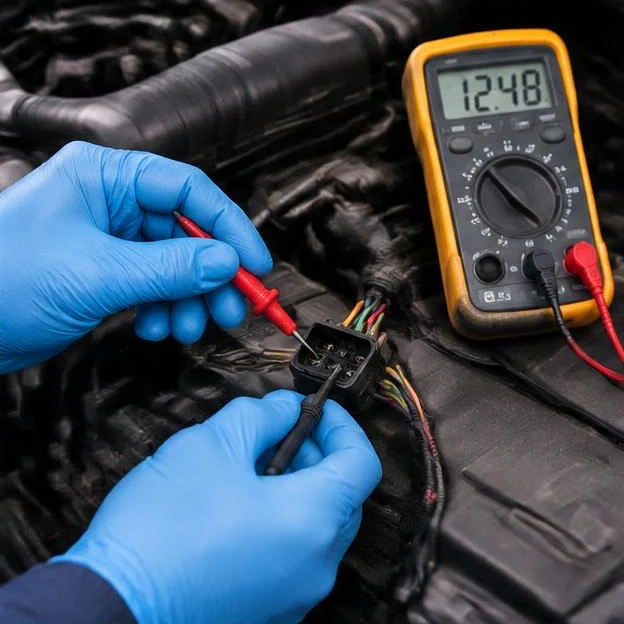
- Test power supplies, wiring and communication before condemning electronic components.
- Assess dosing pressure, injector operation and sensor readings using the applicable test procedure.
- Check for relevant manufacturer software updates and post-repair adaptations.
Planning a Mobile Assessment
Send your postcode to check whether attendance at your home, workplace or roadside location is available and suitable. Explain whether the engine currently starts and include the remaining countdown distance. Some checks may be possible on-site; others may require workshop access, specialist testing or parts. The assessment should distinguish confirmed findings from suspected causes before work is agreed.
- Provide your registration, mileage and complete warning text.
- Include fault codes, recent repairs and details of any AdBlue top-up.
- Ask what testing, corrective work and post-work verification the quote includes.
How to Tell Whether the Fault Is Resolved
A cleared dashboard is not, on its own, proof of a successful repair. Verification may include checking pressure and dosing, reviewing sensor readings, completing prescribed adaptations and running the vehicle under the manufacturer's test conditions. If the warning returns, retain the new fault report rather than repeatedly erasing it.
- Confirm that the diagnosed cause has been addressed.
- Complete any required countdown reset or system validation.
- Recheck for active or returning faults after the specified tests.
What Happens When We Visit?
From booking to completion, our experienced mobile technicians make the process straightforward.
- 1
Book Your Appointment
We confirm your vehicle, location, service and appointment.
- 2
Technician Calls With ETA
On the day, your technician calls with an estimated arrival time.
- 3
We Arrive & Diagnose
We connect diagnostic equipment, check the vehicle and identify relevant faults.
- 4
ECU Software Work
We read the original ECU software, prepare the AdBlue modification and apply it.
- 5
Final Checks & Resets
Final diagnostics, applicable fault-code resets and checks to confirm the agreed work is complete.
- 6
Payment & Receipt
We take payment, provide a receipt and explain the applicable software warranty.
02Why choose AdBlue Solutions
- Clear Quotation Before Booking
- Experienced Technicians
- 4.9/5 Google Rating • 535+ Reviews
- Nationwide Mobile Service Across England
- No Fix, No FeeSubject to terms
- Lifetime Software WarrantyCovers the software we install
- 24/7 Emergency Callouts AvailableAdditional emergency callout charge applies
Check Your AdBlue Fault Code
Enter a diagnostic code to explore its meaning and the information to send with your enquiry.
8 common codes
- P20E8
Fault name
Reductant pressure too low
What it means
The system has reported insufficient reductant pressure. Diagnostic checks help establish the cause, rather than assuming a failed pump.
VIEW FAULT DETAILS - P20EE
Fault name
SCR NOx catalyst efficiency below threshold
What it means
SCR NOx reduction efficiency has been reported below its expected threshold. The full scan and sensor readings help identify possible causes.
VIEW FAULT DETAILS - P204F
Fault name
Reductant system performance, bank 1
What it means
The code concerns SCR operation or monitoring. Read it alongside the full scan and vehicle-specific information.
VIEW FAULT DETAILS - P2200
Fault name
NOx sensor circuit, bank 1
What it means
The code concerns a NOx sensor circuit or signal. It does not alone confirm which part needs attention.
VIEW FAULT DETAILS - P229F
Fault name
NOx sensor circuit range/performance, bank 1 sensor 2
What it means
The code concerns a NOx sensor circuit or signal. It does not alone confirm which part needs attention.
VIEW FAULT DETAILS - P2047
Fault name
Reductant injection valve circuit/open, bank 1 unit 1
What it means
The code concerns a dosing or aftertreatment injector. Check the fitted system and full scan before assuming a cause.
VIEW FAULT DETAILS - P203F
Fault name
Reductant level too low
What it means
The system reports that the reductant level is too low. Check the actual fluid level and whether the reported level is accurate.
VIEW FAULT DETAILS - P207F
Fault name
Reductant quality performance
What it means
The system has reported reductant quality performance. The code alone does not identify the cause.
VIEW FAULT DETAILS
ADBLUE WARNING ON YOUR DASHBOARD?
Send us your registration, postcode and diagnostic fault code. We'll check the details and explain the available mobile service options.
Customer questions
Questions customers ask us
Still unsure? Send us your registration and a photo of the warning on WhatsApp.
Ask on WhatsAppWhat is AdBlue Delete?
AdBlue Delete refers to software changes intended to disable SCR dosing and associated monitoring. It does not repair a failed pump, sensor, injector or catalyst. The scope depends on the vehicle and software, and it should not be described as a guarantee against future warnings or starting faults.
What is AdBlue Removal?
AdBlue Removal is often used to mean software disabling of the SCR system rather than physical removal of its components. Ask what the proposed work includes, as the term alone does not specify which functions or hardware are affected.
What is the difference between AdBlue Repair and Delete?
AdBlue Repair addresses the diagnosed cause of a fault. It may involve wiring repairs, correcting fluid problems, manufacturer software updates or replacing a confirmed faulty component. Delete disables system functions instead of restoring their operation.
What is an AdBlue Fix?
AdBlue Fix is a general description, not a specific technical procedure. A suitable fix depends on the cause of the warning. Clearing a code alone is not a repair if the fault remains present.
What information do you need for a quote?
Send your registration, current postcode, mileage, exact warning message and any fault codes. Include recent top-ups or repairs. Your registration helps identify the likely vehicle specification, while the postcode helps us check mobile attendance. Installed ECU software may need to be identified with a diagnostic tool.
Can I send my warning light photo on WhatsApp?
Yes. Send a clear dashboard photo and the complete diagnostic report if available, including code suffixes. These help with initial assessment, but live readings and physical checks may still be needed before recommending a reset or repair.
Do you offer 24/7 emergency callouts?
Yes. Our standard hours are Monday to Sunday, 8 AM to 8 PM. Emergency callouts are available 24 hours a day, 7 days a week, subject to location and availability. An additional emergency callout charge applies and is confirmed before dispatch.
Related
Get Your AdBlue Quote
Enter your registration, postcode and mobile number. We'll check your vehicle and reply with a quotation. You can add a photo of your dashboard warning in the WhatsApp chat.
Countdown about to hit zero?
Call or WhatsApp with the warning, miles remaining and where the vehicle is. Emergency callouts carry an additional charge, confirmed before dispatch.